 Doori
Your estate, organised
Group doors by company, site and building. Search the door directory and review inspection dates and status.
FIRE DOOR MANAGEMENT SOFTWARE
Bring fire door records, inspections and evidence together. Give your team a clear view of what needs attention, wherever they work.
For the people responsible for buildings, inspections and the records behind them.
A CONNECTED RECORD
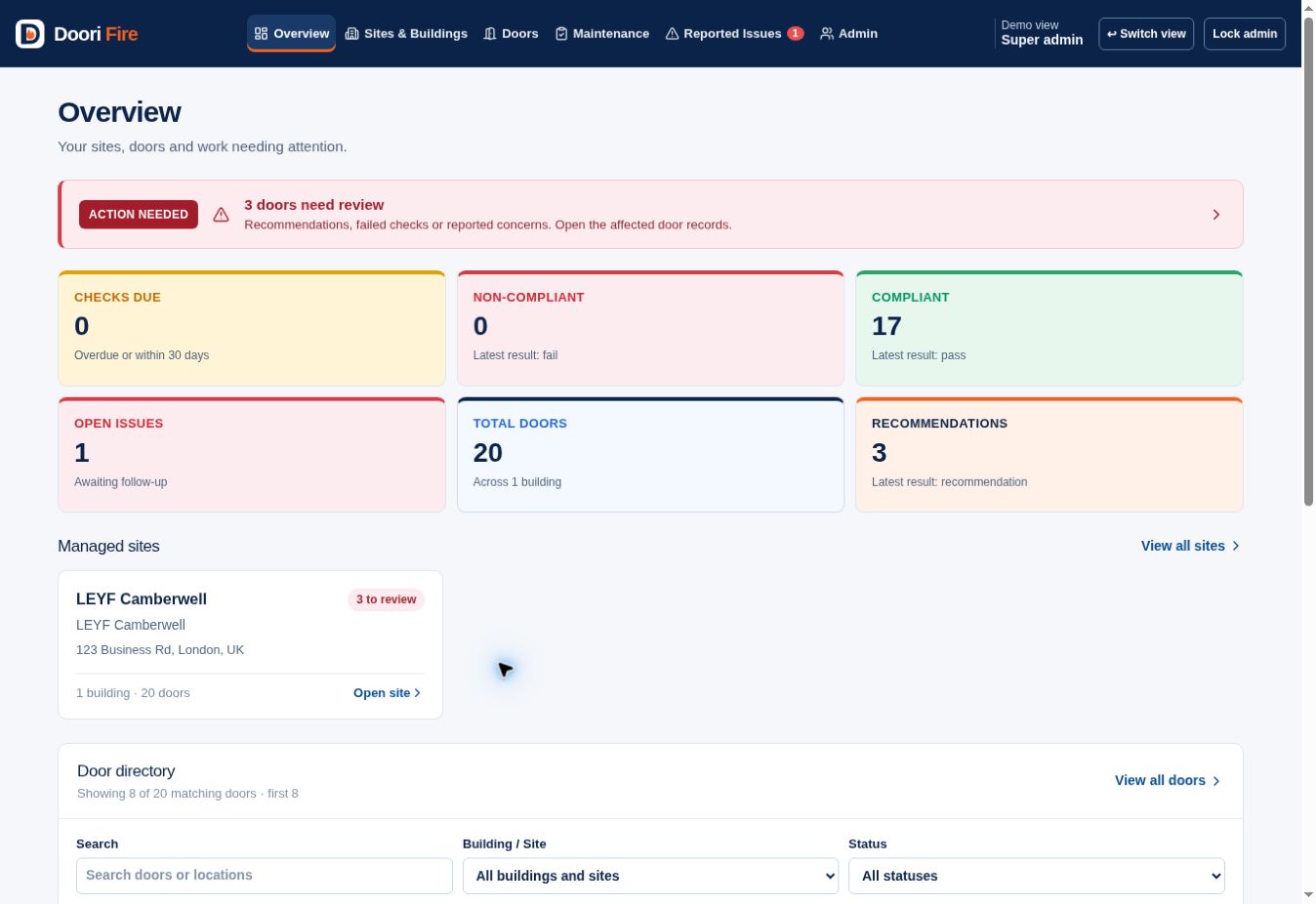
Doori Fire is a web-based platform for facilities teams, property managers and inspectors. Organise fire doors by company, site and building, with location, inspection results, evidence and follow-up in the same record.
Group doors by company, site and building. Search the door directory and review inspection dates and status.
Record checks and observations, review previous inspections and see reported concerns alongside the door record.
Store photographs, certificates and PDF reports with the relevant door and inspection.
LOCATION WITHOUT THE GUESSWORK
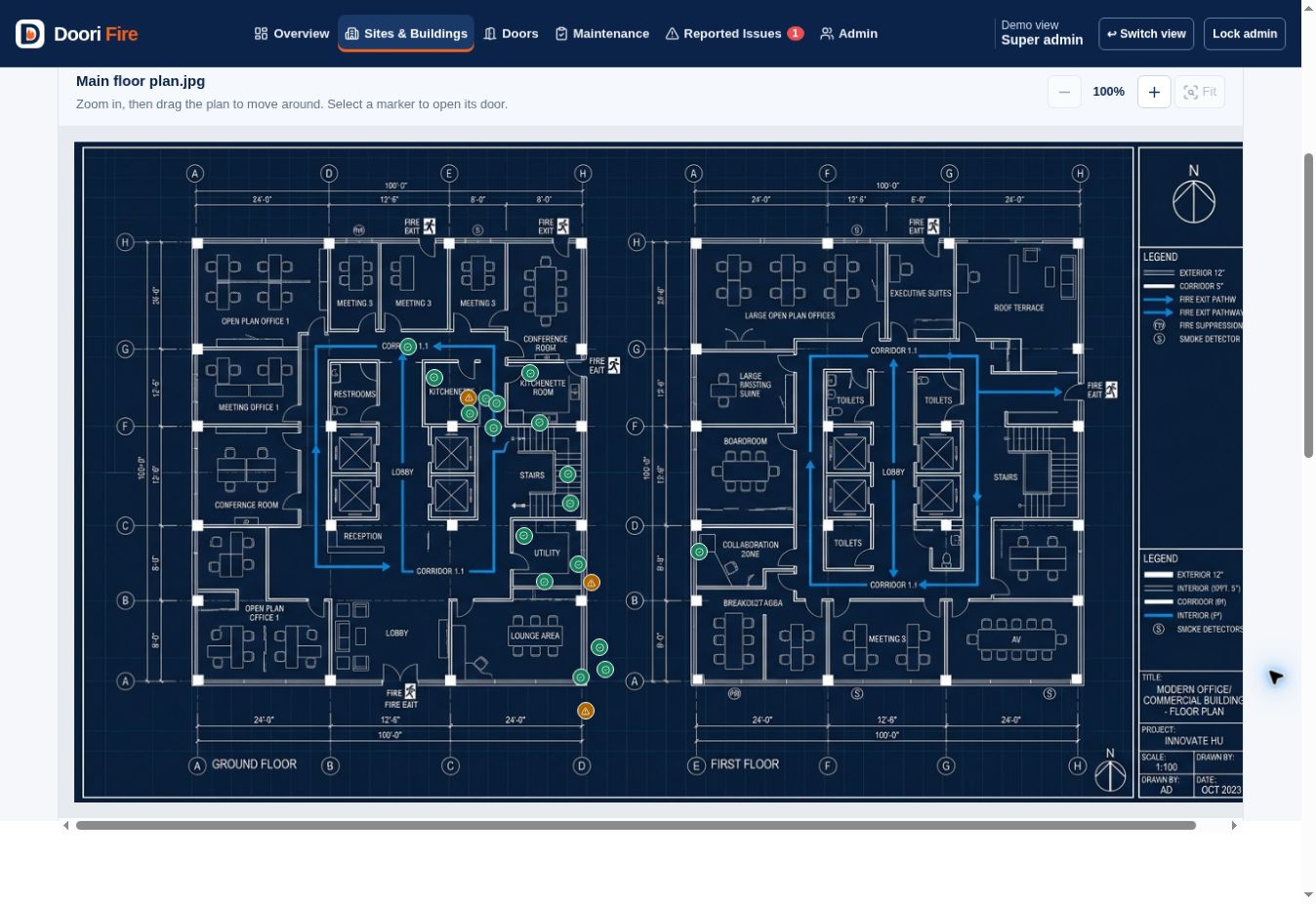
Find a door in the building before opening its record. Add floor plans, position door markers and highlight the door you’re looking for.
CONTEXT THAT STAYS TOGETHER
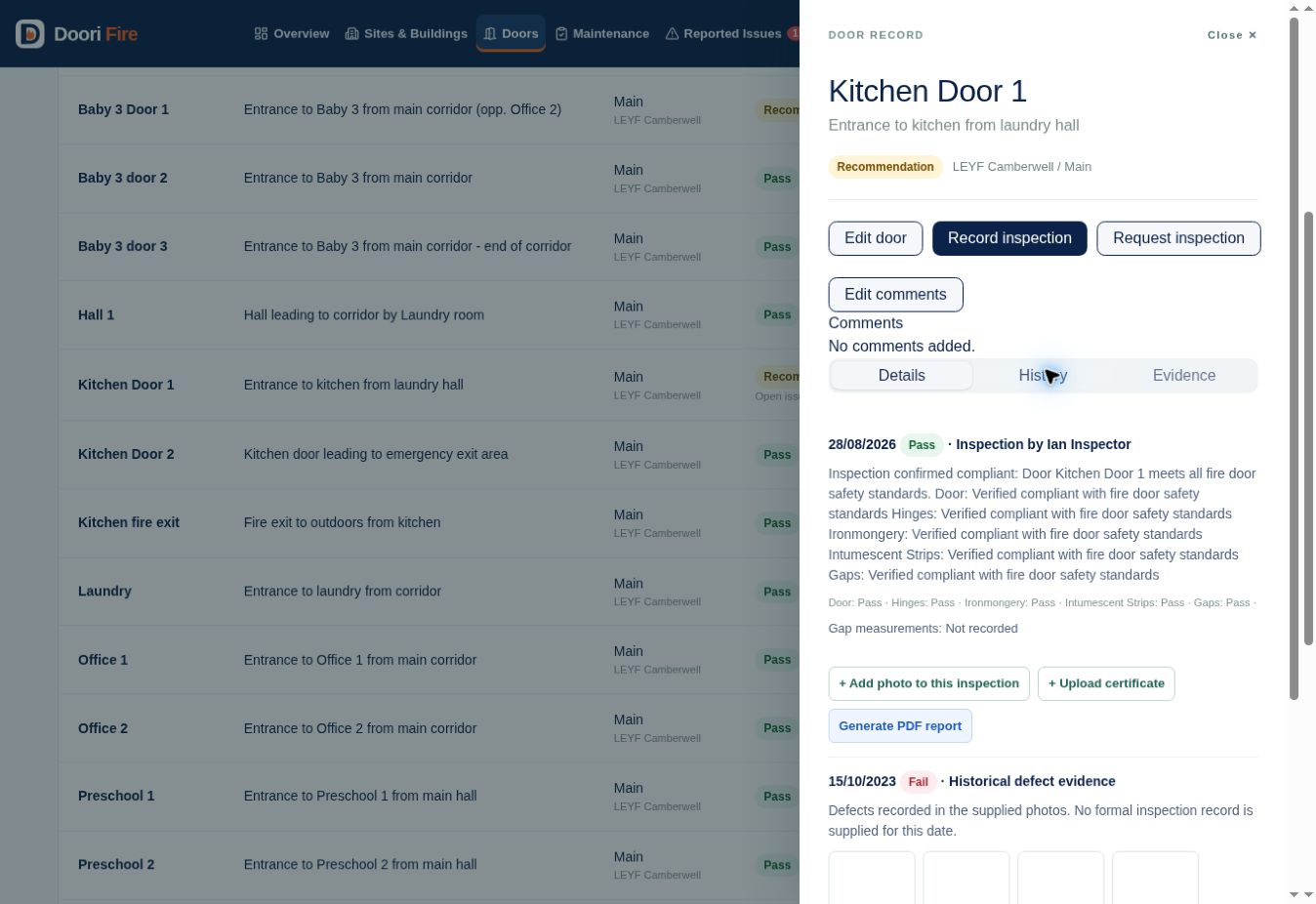
A current result is only part of the story. Keep past inspections, supporting evidence and progress updates available in the same door record.
THE RIGHT VIEW FOR EACH PERSON
Bring the people managing the records and the people using the building into the same workflow.
Manage door records, review issues and request inspections. Keep visibility across sites and buildings.
Review assigned buildings, record inspections and upload evidence. Add missing doors and update plan positions.
Report concerns and add photos in the locations they can access, giving the team a clear starting point for follow-up.
Admin tools include data exports and a read-only offline copy of the records, plans and evidence.
SEE IT IN YOUR CONTEXT
Discuss your sites, door records and the people who need access.
See the overview, floor plans, inspections and evidence using the current demonstration.
Explore the different roles with our sales team and discuss your requirements.
YOUR QUESTIONS, ANSWERED
Doori Fire is web-based fire door management software. It brings door records, inspection history, floor plans, photographs, certificates and reported issues into one platform.
The platform provides different views for company administrators, inspectors and site staff. It helps facilities and property teams manage records across companies, sites and buildings.
Yes. Upload a floor plan, position door markers and use Find on plan to highlight a door. You can add multiple plans and replace an image while retaining marker positions.
Uploaded files are saved to the shared site and linked to the relevant door or inspection. Inspection history, evidence and reported concerns can be reviewed from the door record.
This website offers the software platform. The system records inspection results and evidence; using the software does not itself certify a door or carry out an inspection.
Complete the demonstration request form. Our sales team will contact you to arrange a meeting and walk you through the current app, including its administrator, inspector and staff views.
BOOK A DEMONSTRATION
Talk through your requirements and see the platform in action. Send a demonstration request. Our sales team will contact you to arrange a meeting and walk you through the platform.
Prefer email? gordonmdemo@gmail.com